Stand out with a secret GitHub profile readme

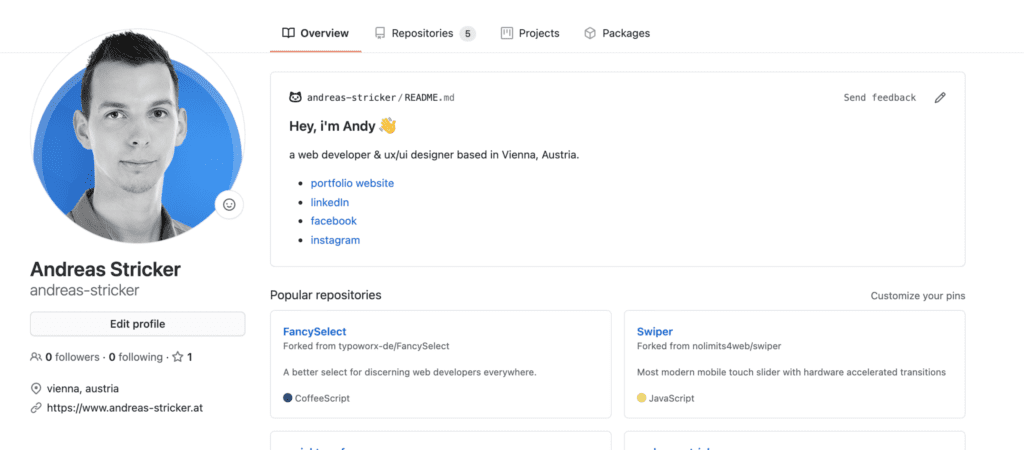
Neither you are selfdeployed or just looking for jobs – companies will take a look at your GitHub profile page. There’s just a small area on the left of the page to introduce yourself so it’s not easy to stand out with the profile page. But there is a trick to present your skills on top of the page with a readme file.
Bildschirmfoto 2020 11 29 um 16.01.18

How to get this readme?

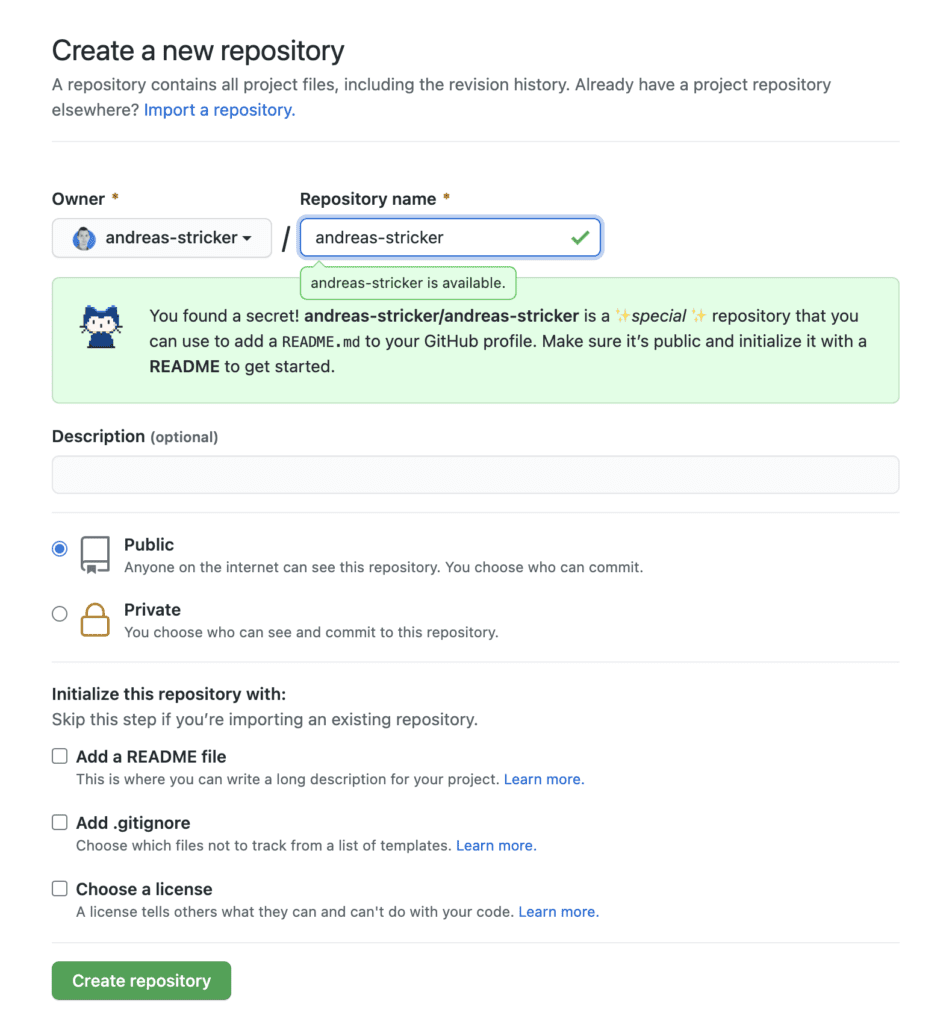
At first set up a new repository and name it as your github username. It’s important that the repository name is written exactly like your username. A secret message will popup that you have found a secret.
Bildschirmfoto 2020 11 29 um 15.45.00

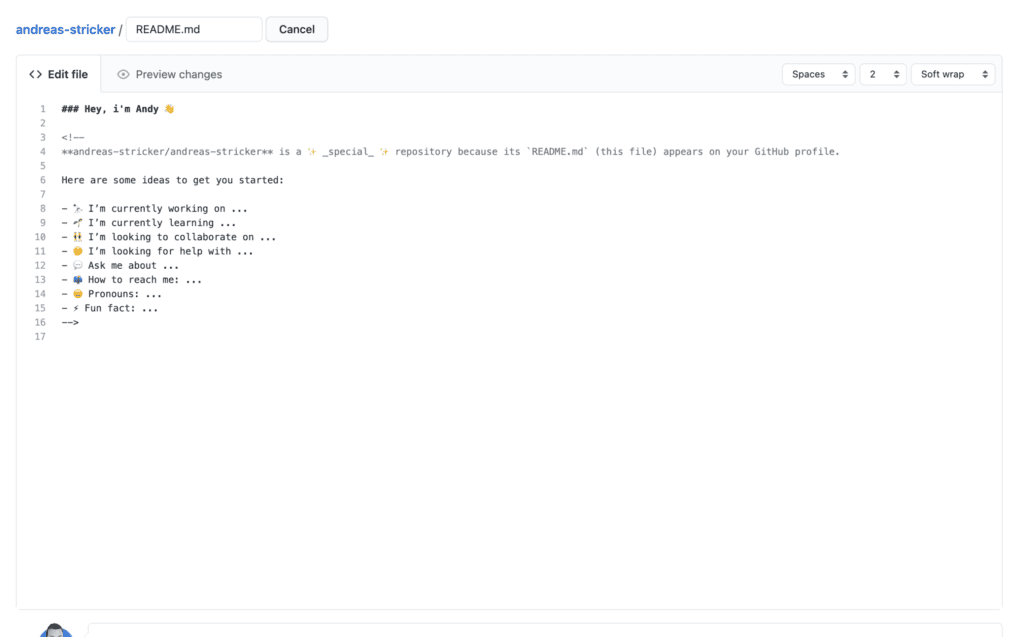
After creating your new repository you just have to add a readme file to it. It will be pre-filled with an intro text which you can complete or just delete it and write your own introduction and infos about you.
Voila! You got an intro area on top of your GitHub profile page.

Bildschirmfoto 2020 11 29 um 15.59.12

Schreibe einen Kommentar

Deine E-Mail-Adresse wird nicht veröffentlicht. Erforderliche Felder sind mit * markiert

Weitere Artikel

Hat KI das Webdesign gekillt? Was wir von Tim Ferriss über die Zukunft der Webdesign-Branche lernen müssen

Vor Kurzem hat Bestseller-Autor Tim Ferriss in seinem aktuellen Artikel „Has AI Already Killed How-To Nonfiction?“ eine ungeschminkte Wahrheit ausgesprochen, die eine ganze Branche durchschüttelt. …

WordPress-Animationen auf Next-Level: GSAP für Elementor, Gutenberg & Co.

Wer eine moderne Website mit WordPress baut, merkt schnell: Statische Textblöcke und Standard-Layouts hauen niemanden mehr vom Hocker. Wenn sich auf einer Seite beim Scrollen …